Pick an app
Open source · No install · No upload

Craft apps, in your browser

Free, open-source desktop apps for photos, motion graphics and PDFs, running in a browser tab. Pick one, open a file, and work. Nothing is uploaded.

Ready to use

Three apps, each on its own site

Every site runs the official web build, byte for byte, kept on the latest release. Around it you get guides and an AI panel that works with your own API key.

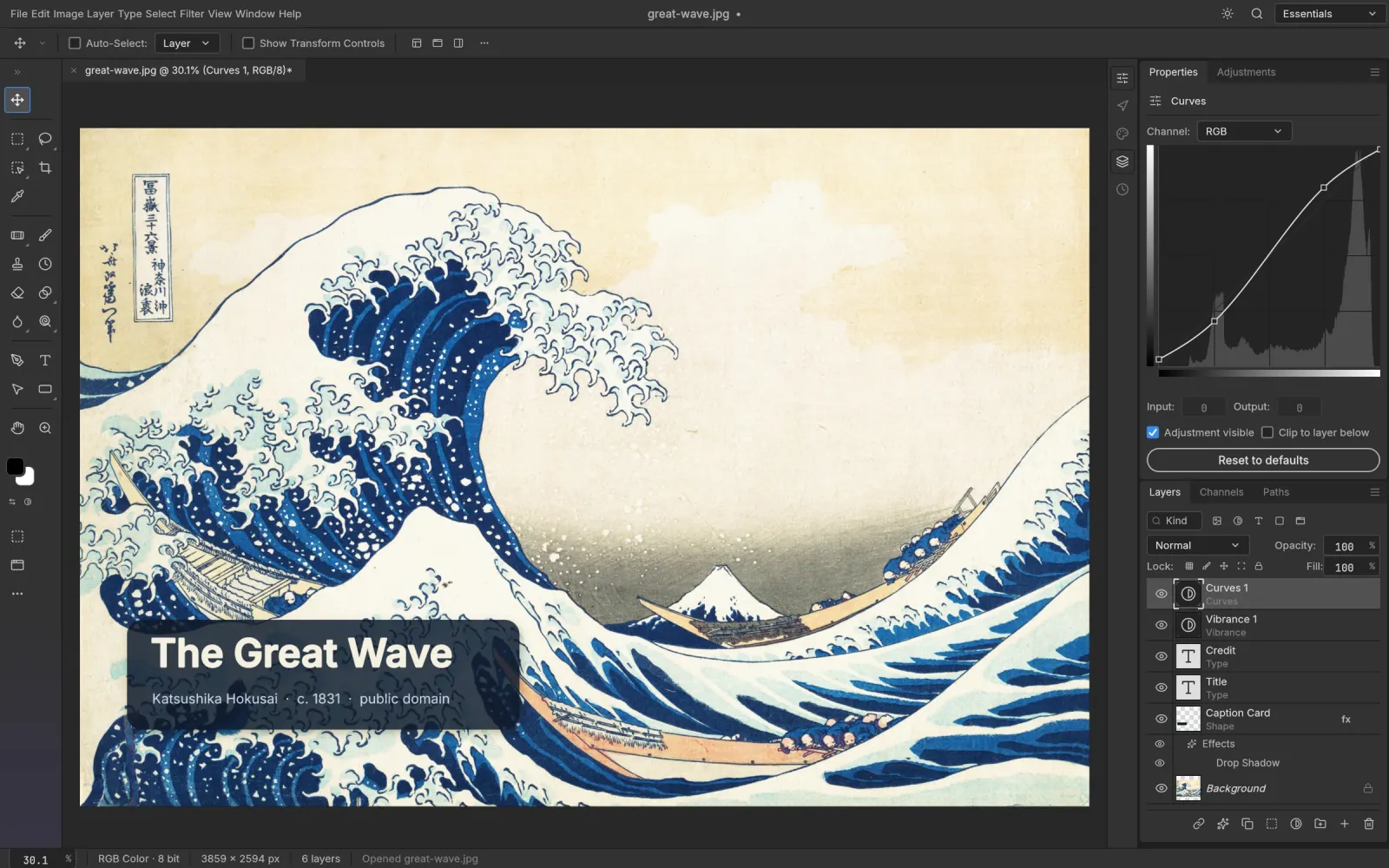
PhotoCraft editing a layered image with type layers and adjustment layers
Photo and PSD editor

PhotoCraft Online

Layers, masks, adjustment layers, type and layer styles, with real layered PSD files opened and saved in the browser.

  • Opens and saves PSD and PSB
  • 67 tools, from Pen to Content-Aware Move
  • AI image tools on your own API key
Works like Photoshop · web build v0.7.0, Oct 11, 2026
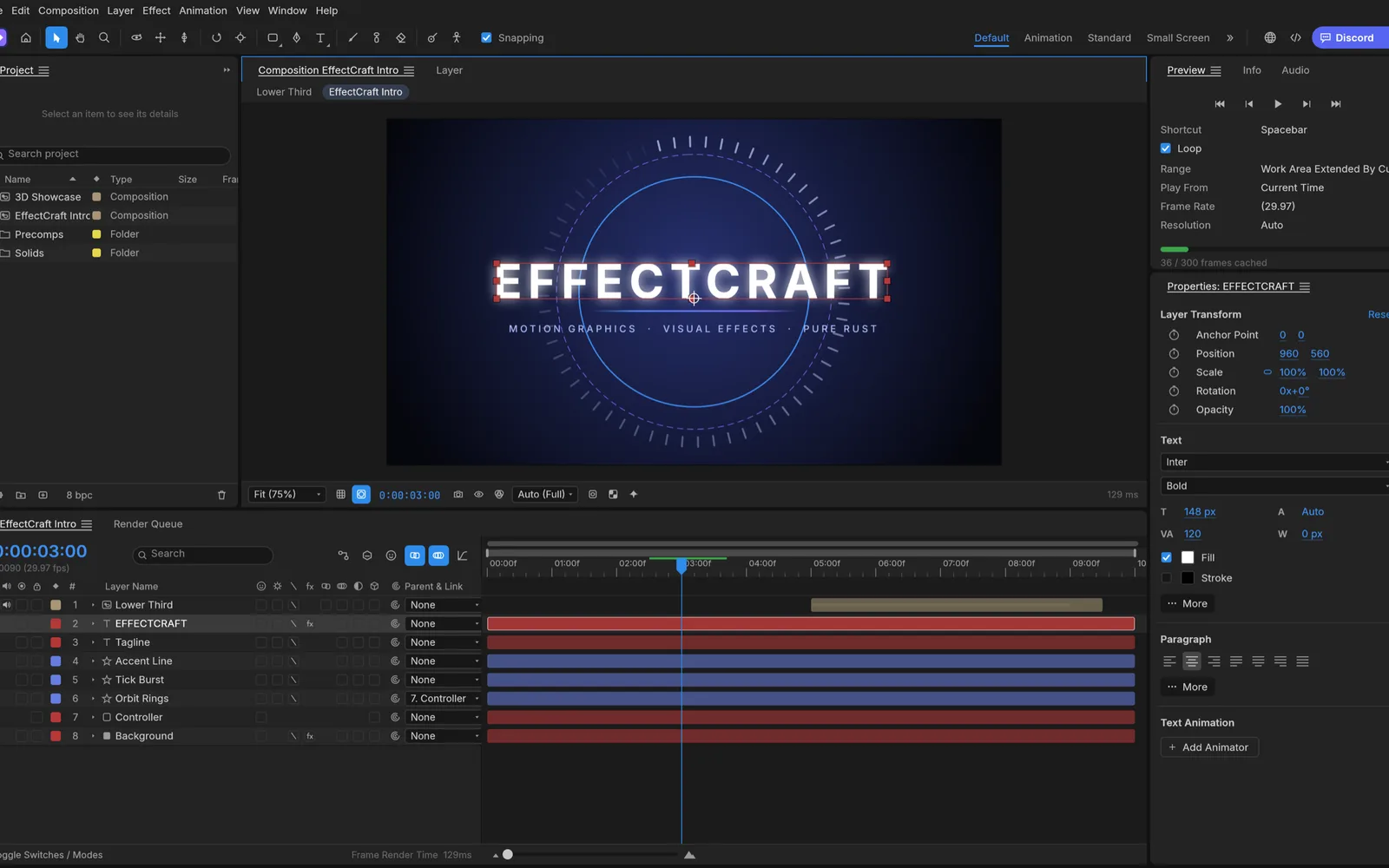
EffectCraft with a title animation in the composition viewer and layers on the timeline
Motion graphics and compositing

EffectCraft Online

Compositions, keyframes, effects and a 3D scene on a timeline, rendered to video. Projects are kept in your browser between visits.

  • 306 effects and 38 blend modes
  • Lottie import and export
  • AI backgrounds and elements on your own key
Works like After Effects · web build v0.8.0, Oct 11, 2026
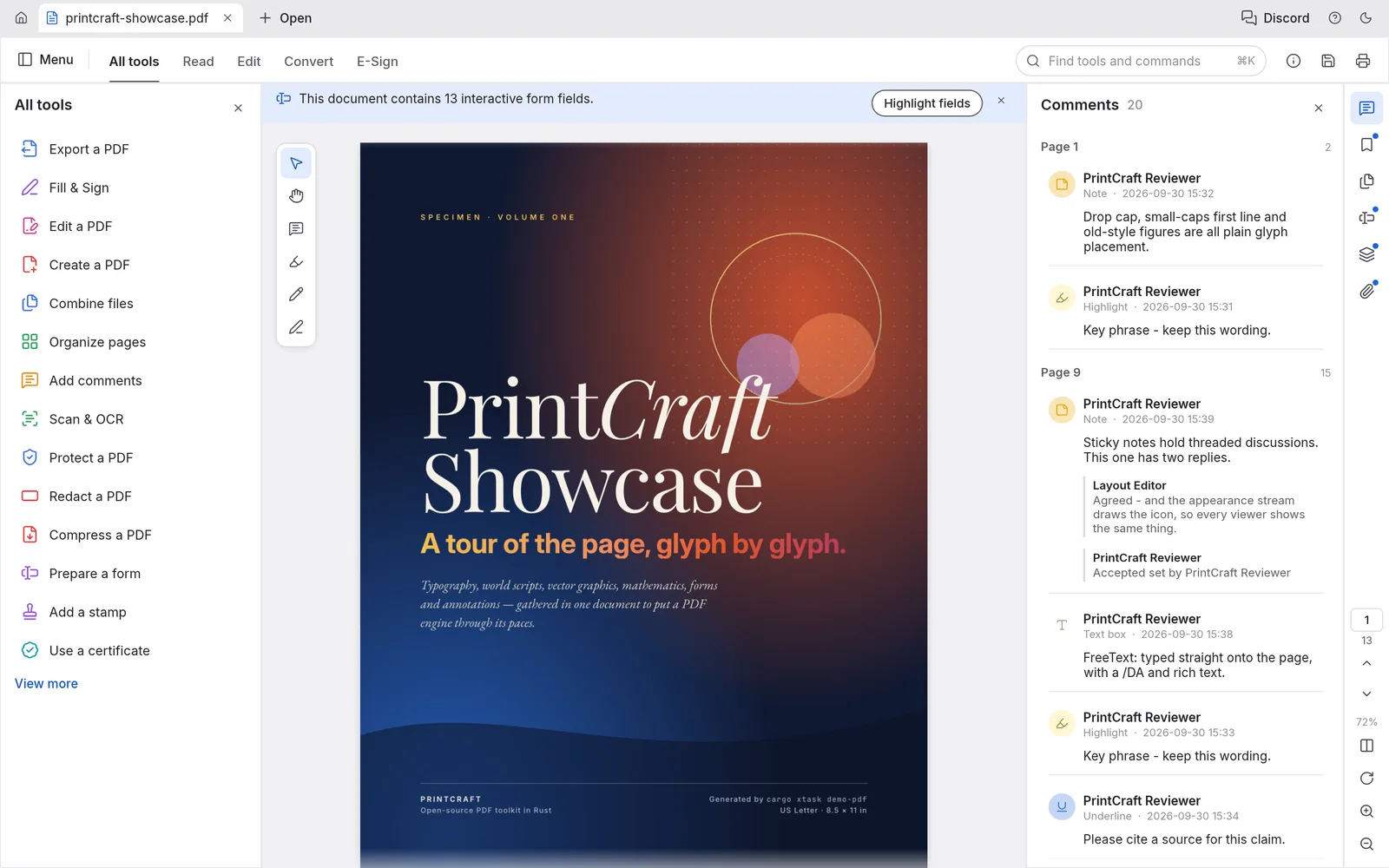
PdfCraft showing a document with the page thumbnails and tools panels
PDF reader and editor

PdfCraft Online

Organize, merge and split pages, fill and sign forms, comment and protect PDFs, with the whole PDF engine running on your device.

  • Merge, split and reorder pages
  • Fill & Sign, comments, passwords
  • Chat with a PDF on your own API key
Works like Acrobat · web build v0.6.0, Oct 11, 2026

Screenshots from the PhotoCraft, EffectCraft and PdfCraft projects.

The rest of the family

More Craft apps

The same team publishes these apps too, each with a desktop release and an official web build on GitHub. We don’t host them yet; the links go to their source and releases.

How it works

A desktop app, compiled for the browser

The Craft apps are written in Rust and compiled to WebAssembly, so the same engine that runs on Windows, macOS and Linux runs in your browser tab. The first visit downloads the app; after that it opens from your browser’s cache.

Your files are read and written on your device. Opening a file reads it from your disk, saving downloads the result. There is no account and no server copy of your work.

The apps are young and released often. They follow the layout of the tools they replace, so the menus are where you expect them, but they are not yet a full replacement for professional daily work. For long sessions, the desktop downloads on each site are the better choice.

FAQ

Questions

What are the Craft apps?

A family of open-source desktop apps written from scratch in Rust by the ArtCraft team: a photo editor, a motion graphics tool, a PDF editor, a video editor and more. Each one also ships an official web build that runs in a browser with WebAssembly.

Are they free?

Yes. Every Craft app is open source under MIT OR Apache-2.0, and the sites linked here need no account. The optional AI tools on our sites run on your own API key, so any AI usage is billed by your provider, not by us.

Do my files get uploaded?

No. The apps run inside your browser. Files open from your disk, are edited on your device and save back as downloads. The only exception is an AI tool you choose to use, which sends what you pick straight to the AI provider whose key you entered.

Is this the official ArtCraft site?

No. artcraft.run and the sites it links to are independent. They host the official web builds unmodified, as published on GitHub, and add guides and AI panels around them. The project itself lives at github.com/storytold.

Which browsers work?

A current Chrome, Edge, Firefox or Safari with WebGPU or WebGL2. The apps are built for a mouse and a large screen, so a laptop or desktop works best.